
4 min read
Every "how do I" ticket is a documentation bug
Questions about how to do something are not a support problem. They are a signal that your documentation is missing, hard to find or hard to follow, and they point straight at what to fix.
By The Primordio team

Support teams sort tickets into categories: billing, bugs, account access, feature requests. Somewhere in that list there is usually a category called “how to” or “usage questions,” and it is often one of the largest.
Those tickets get answered, one at a time, by people who know the product well. The customer is helped, the ticket is closed, and the next week the same question arrives from someone else.
It is worth treating that category differently. A bug report says the product did something wrong. A “how do I” ticket says the product worked, but the customer couldn’t find out how to use it. That is a gap in your documentation, and like any bug, it can be found, prioritized and fixed.
Three kinds of documentation bug
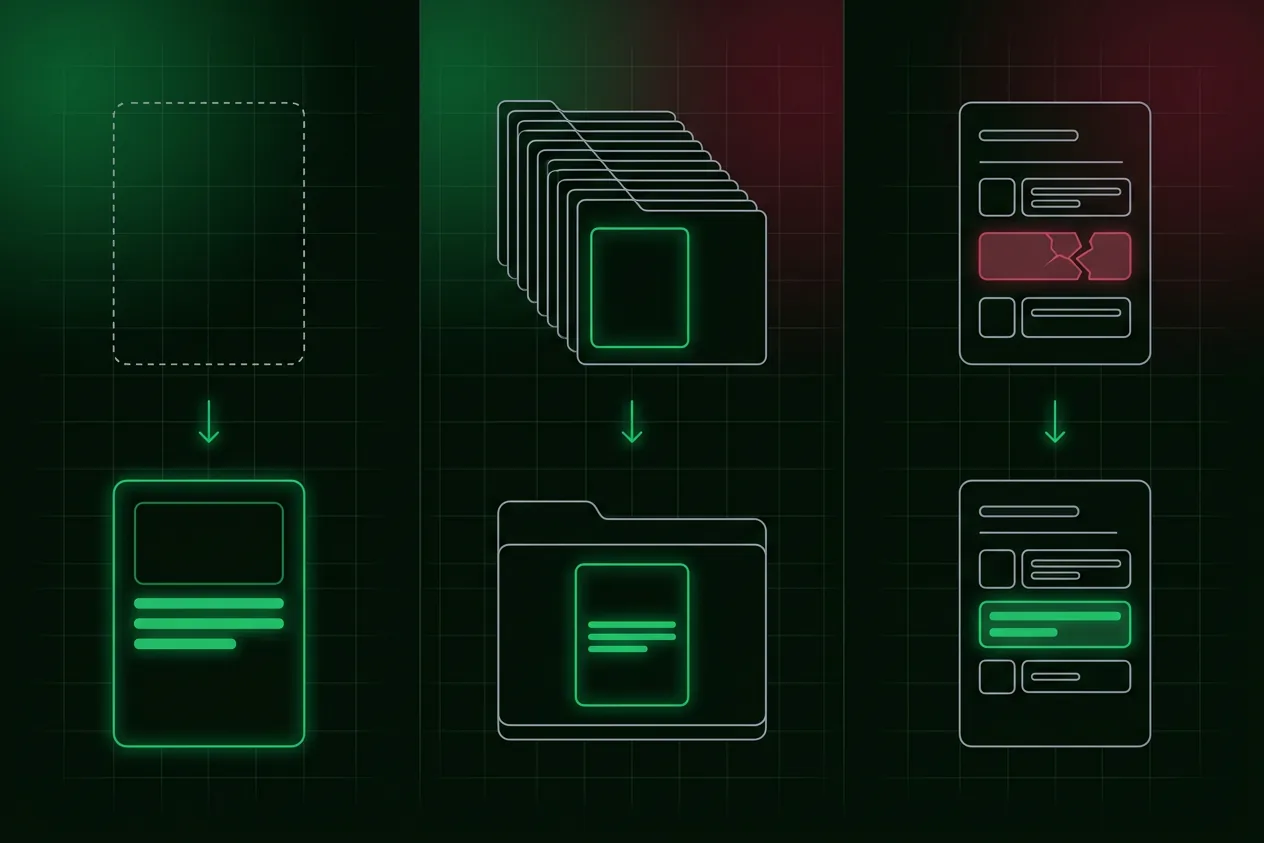
When a customer asks how to do something, one of three things has gone wrong.
The documentation doesn’t exist
Nobody ever wrote it down. This is common for settings, edge cases and workflows that seemed obvious to the people who built them.
The documentation exists but can’t be found
The guide is there, but the customer searched for “add a teammate” and the article is titled “Managing workspace membership.” Or it sits three levels deep in a help center nobody browses. Or the product never links to it from the screen where people get stuck.
The documentation exists but doesn’t work
The customer found the guide and still got stuck. Maybe it describes an older version of the interface. Maybe it skips a step that seemed obvious to the writer. Maybe it is a wall of text for a task that really needs a picture.
Each kind has a different fix, so the first job is to tell them apart.
Turning tickets into a fix list
Step 1: Tag the tickets
Ask agents to tag “how do I” tickets with the task the customer was trying to do, using a short, consistent name: “invite teammate,” “export report,” “change billing email.” Free-text tags drift quickly, so keep a shared list and add to it deliberately.
Step 2: Note what happened
Where possible, add a second tag for what went wrong: no article, couldn’t find it, or followed it and still stuck. Agents often know from the conversation. If the customer says “I read the help article but,” that is a “doesn’t work” bug.
Step 3: Count and rank
After a few weeks, sort the tasks by how often they appear. The top ten will usually account for a large share of the category. Those are your highest-priority documentation bugs.
Step 4: Fix by type
- Missing: write the guide. For anything involving navigation, include visuals.
- Can’t be found: rename it in the words customers use, link to it from the screen where they get stuck, and make sure search finds it.
- Doesn’t work: rewrite it, check every step against the current product, and add a screenshot or short video for the steps people trip on.
Step 5: Close the loop
Once a fix ships, watch the tag. If the task keeps appearing at the same rate, the fix didn’t work, and the next question is why.
Why visuals belong in most fixes
A large share of “how do I” tickets are really “where is it” tickets. The customer knows what they want to do but can’t find the control. Text struggles with this, because it has to describe a location. A screenshot or a short video shows it.
For the top tasks, a strong fix often has two parts: a short video that shows the workflow from start to finish, and a written guide with a screenshot for each step that customers can follow at their own pace. Agents can link both when the question still comes in. There is more on that pattern in answer with a picture.
Make agents part of the fix
The people answering these tickets know exactly where customers get lost. Give them an easy way to flag a documentation bug: a tag, a shared channel, or a short form. When a fix ships because of their flag, tell them. It turns repetitive work into something that visibly improves the product.
Watch out for the fix going stale
The fastest way to recreate a documentation bug is to fix it once and never touch it again. The product changes, the guide drifts, and the tickets come back. Every guide written as a fix needs an owner and a check whenever the workflow it covers changes. The ways documentation drifts are covered in why product docs go stale.
Where Primordio fits
Primordio makes the video-plus-guide fix cheap to produce. You describe the workflow in plain English and get back a narrated video and a written guide with a screenshot for every step, from the same run. When the interface changes, the tutorial can be refreshed rather than rebuilt, so the fix stays fixed.
A quick checklist
- “How do I” tickets are tagged by task, from a shared list of names.
- Each is marked as missing, can’t be found, or doesn’t work.
- The top tasks are ranked by volume and fixed first.
- Fixes for navigation questions include visuals.
- Guides are linked from the screens where people get stuck.
- The tag is watched after each fix to see whether it worked.
- Every fix has an owner who checks it when the workflow changes.
Support teams will always answer questions. The goal is to stop answering the same one fifty times, and the tickets themselves tell you where to start.